Redesigning Plagiarism Report for Free users
PRODUCT DESIGN
USER INTERFACE
TEAM
Product Design Intern(me:)
Design Lead
Project Manager
Tech Lead
contribution
Concept ideation
Interface design
Responsive Design
User flow creation
UAT
Platform
Desktop & mobile web
Duration
2 weeks
About
Paperpal is an AI-powered writing assistant that simplifies the research process for academicians and lecturers. It helps users brainstorm ideas, craft outlines, find research papers, manage citations and more.
Impact
The flow optimization resulted in a 45% increase in return users (from 11k to 16k+), proving the success of the improved UX clarity and contextual nudging.
Project brief
The plagiarism check feature struggles with user drop-offs at key stages: during scanning, upon receiving the report, and at payment, resulting in only 0.32% upgrading to Prime. The goal was to redesign the experience to simplify the process, engage users, and boost conversions.
Highlights
BEFORE
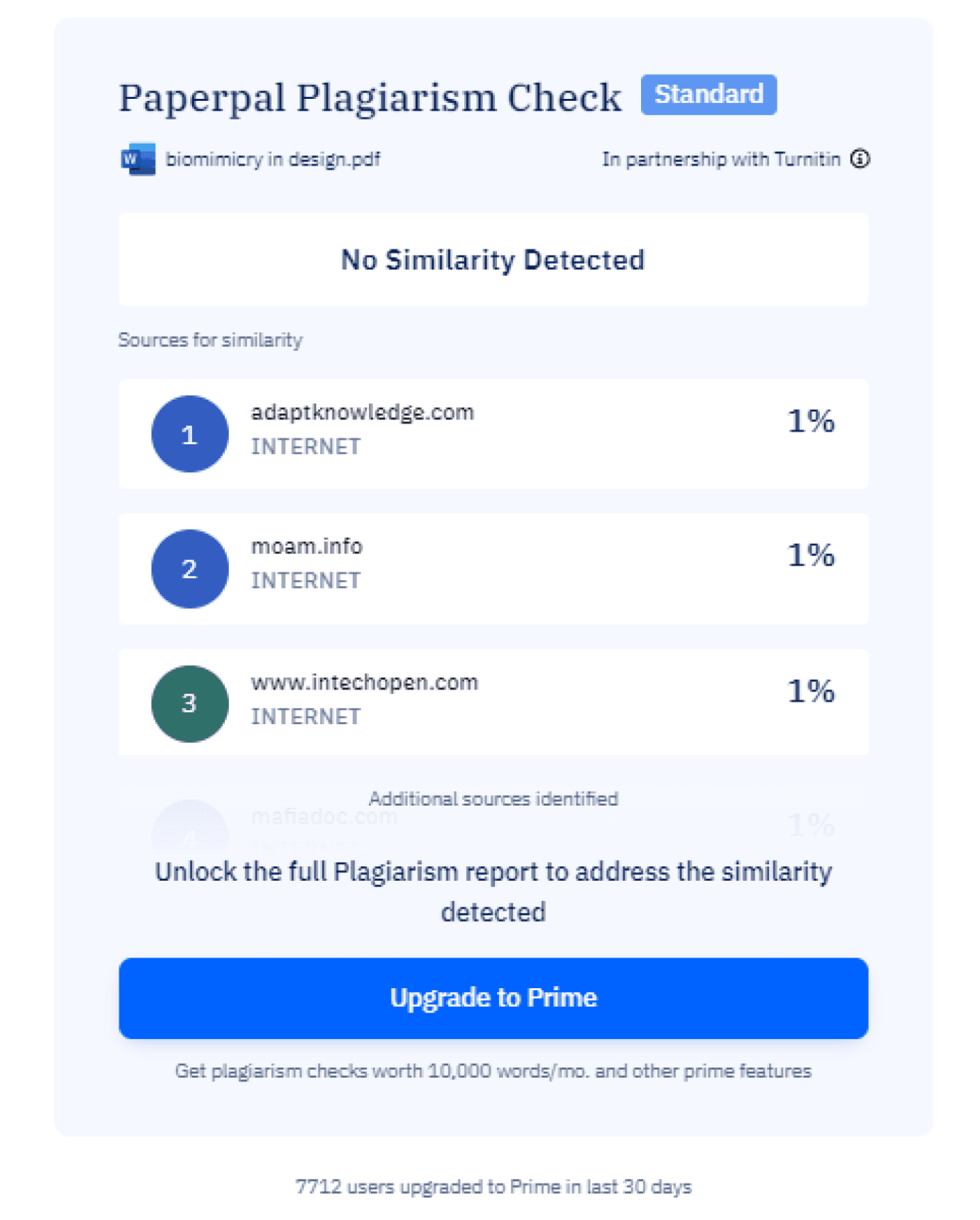
NOW
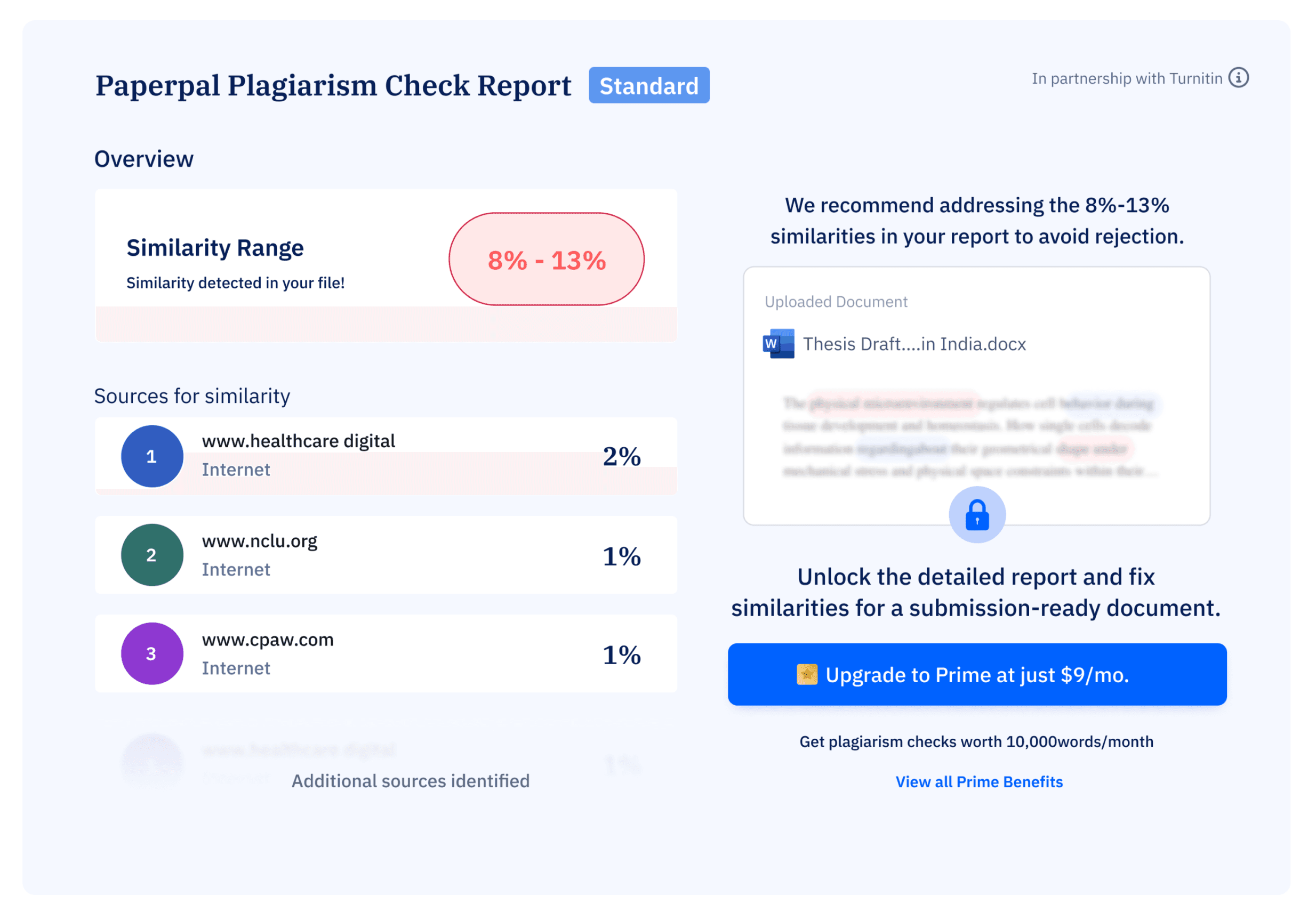
Generated Plagiarism report for free user
Similarity detected: 9-15%
Research & Analysis
why redesign
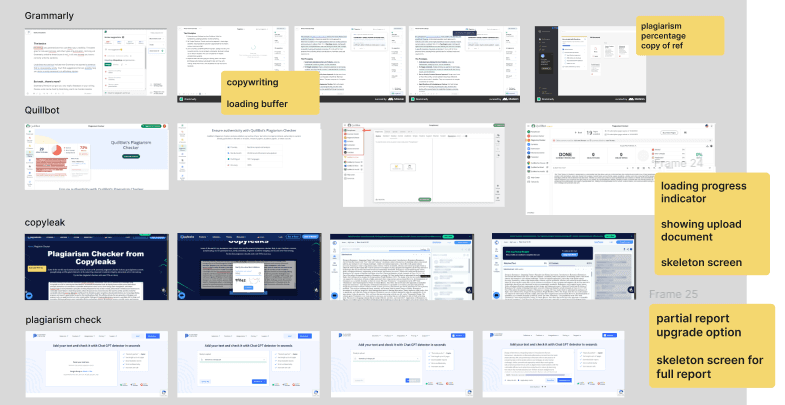
learning from others
We began the project by analyzing other academic assistant platforms, focusing on their patterns, user experiences, and strategies for nudging users toward conversion. We studied products like Grammarly, Quilllbot, Copyleak, Plagiarism checker.
The current plagiarism check experience is losing users at critical points due to long wait times, unclear report insights, vague CTAs, and a lack of communicated benefits for the user. The redesign was necessary to improve communication and provide clear next steps.
Breakdown of the number
we are missing out on more than 90% of users and immediate focus is on converting the 2k users who stay till report generation
11K
Total visitor
22%
leave without uploading
2k
Stay till report generation
450
Users upgrade
76
Complete transaction
Identifying gaps
A deep dive into our design to uncover usability gaps and areas for improvement.
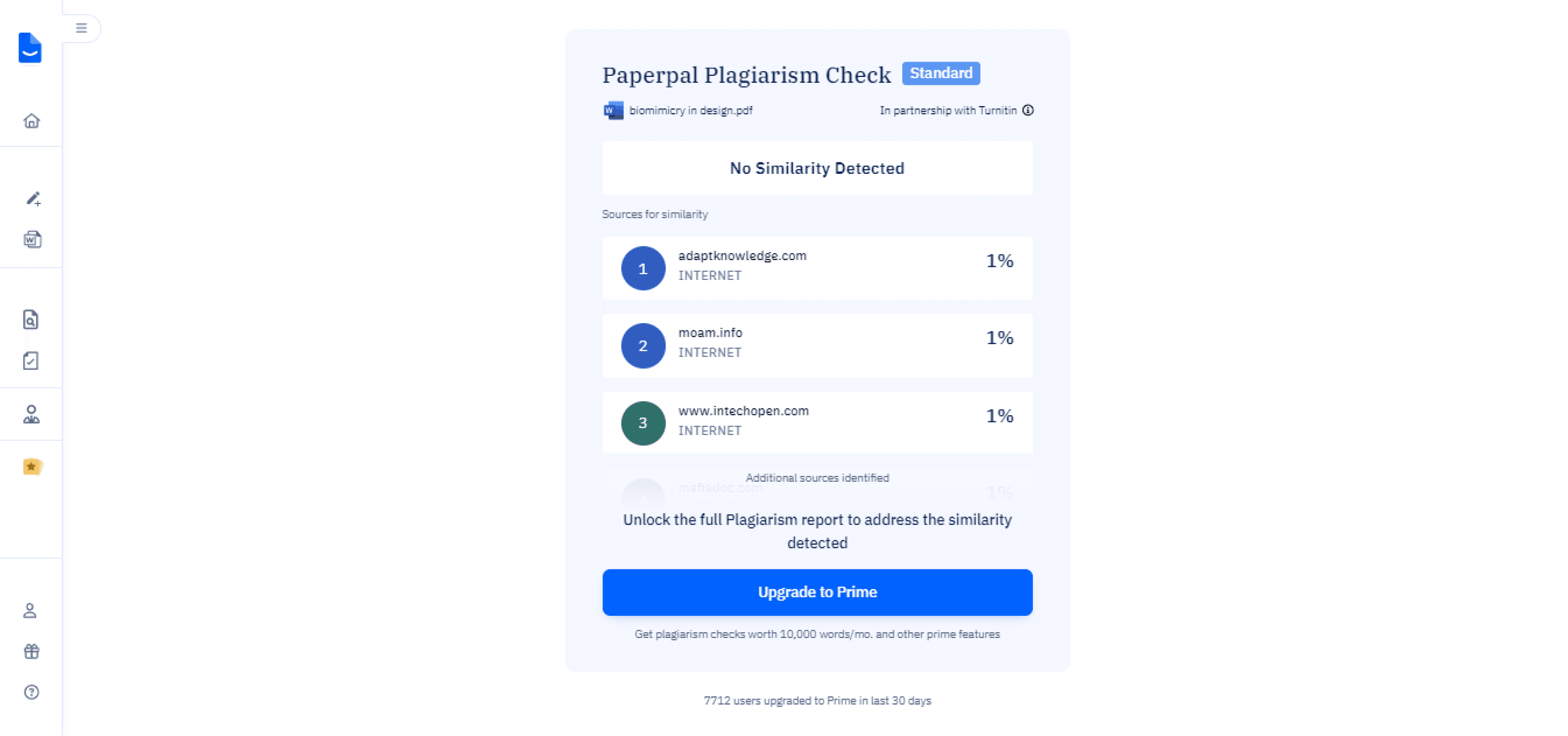
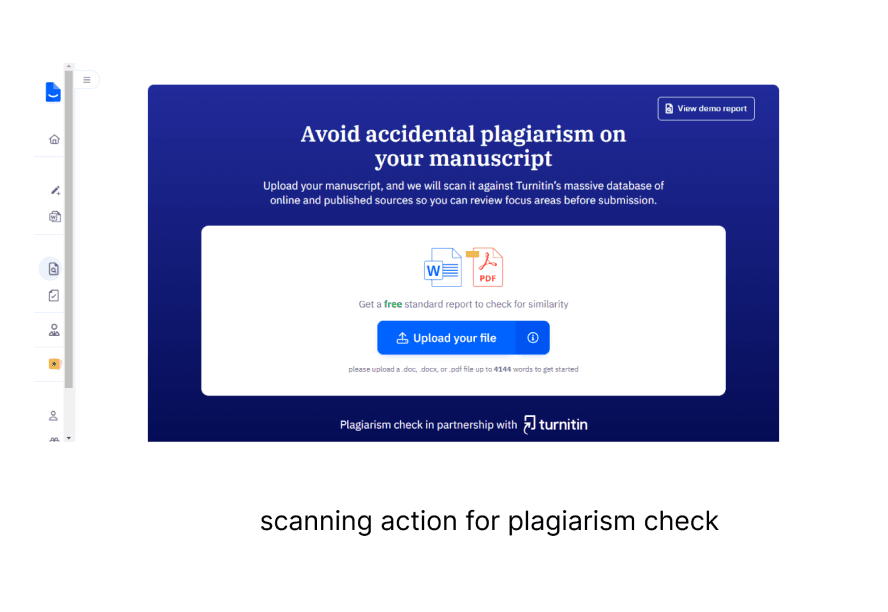
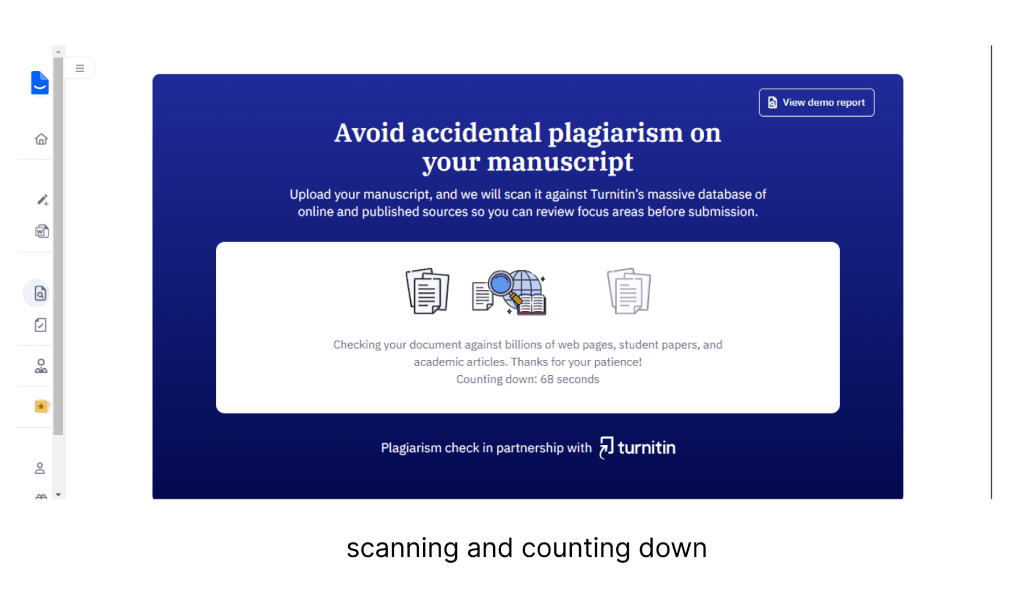
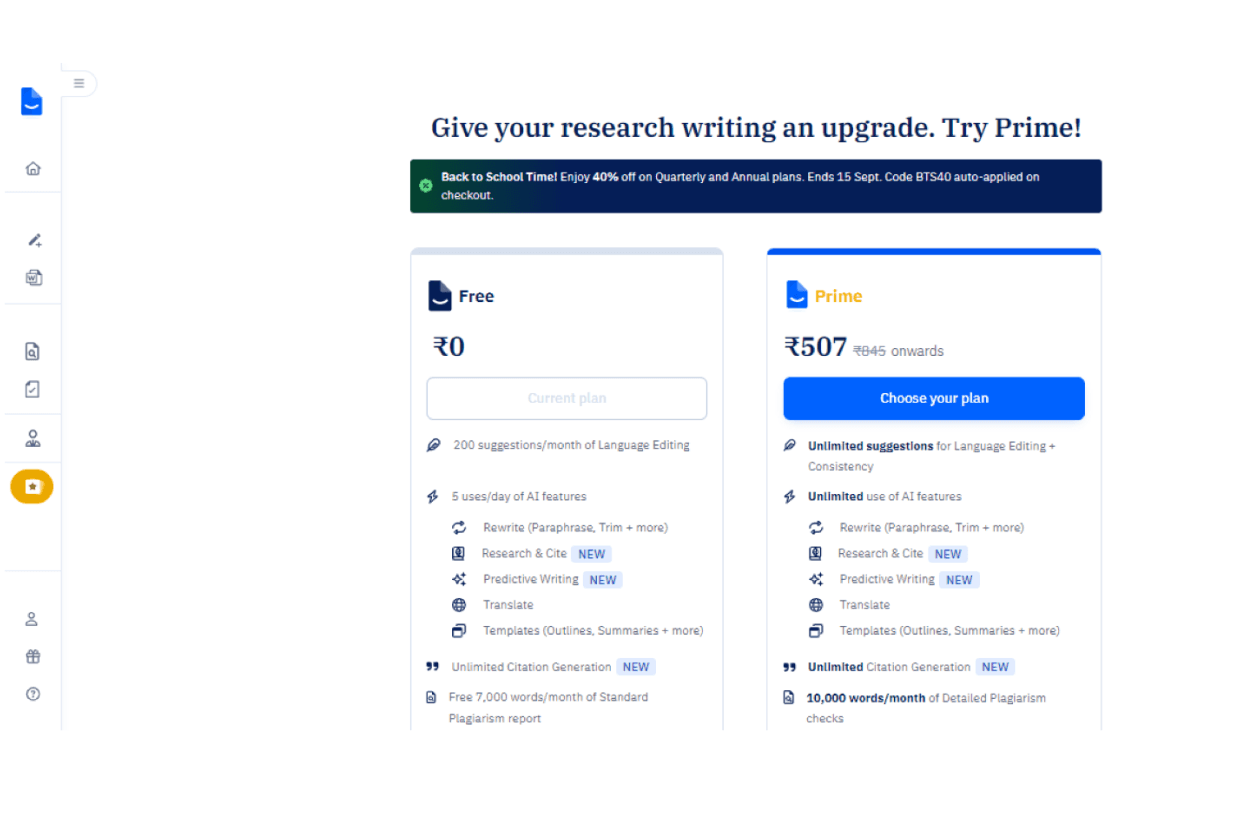
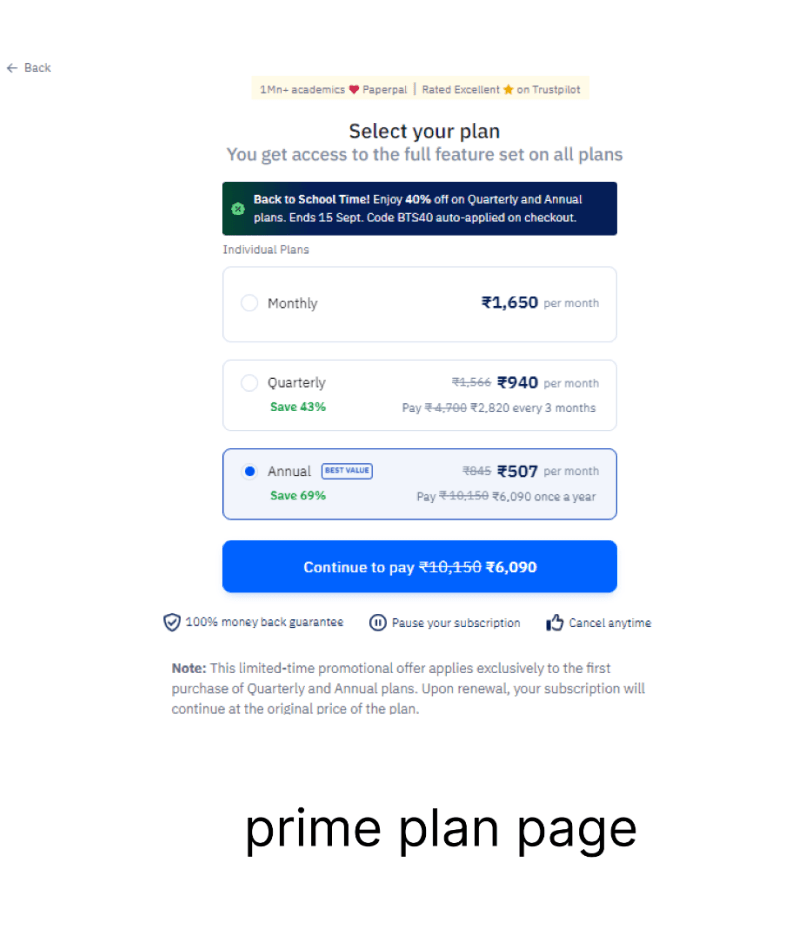
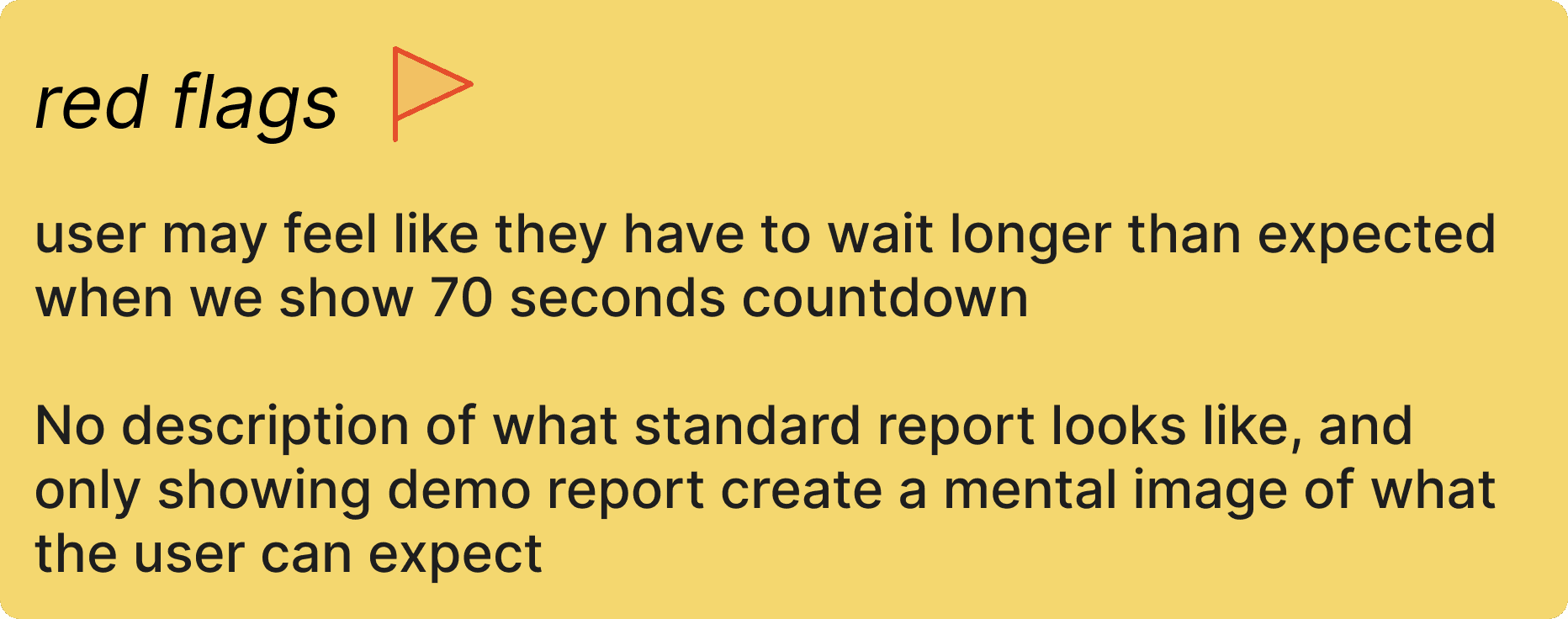
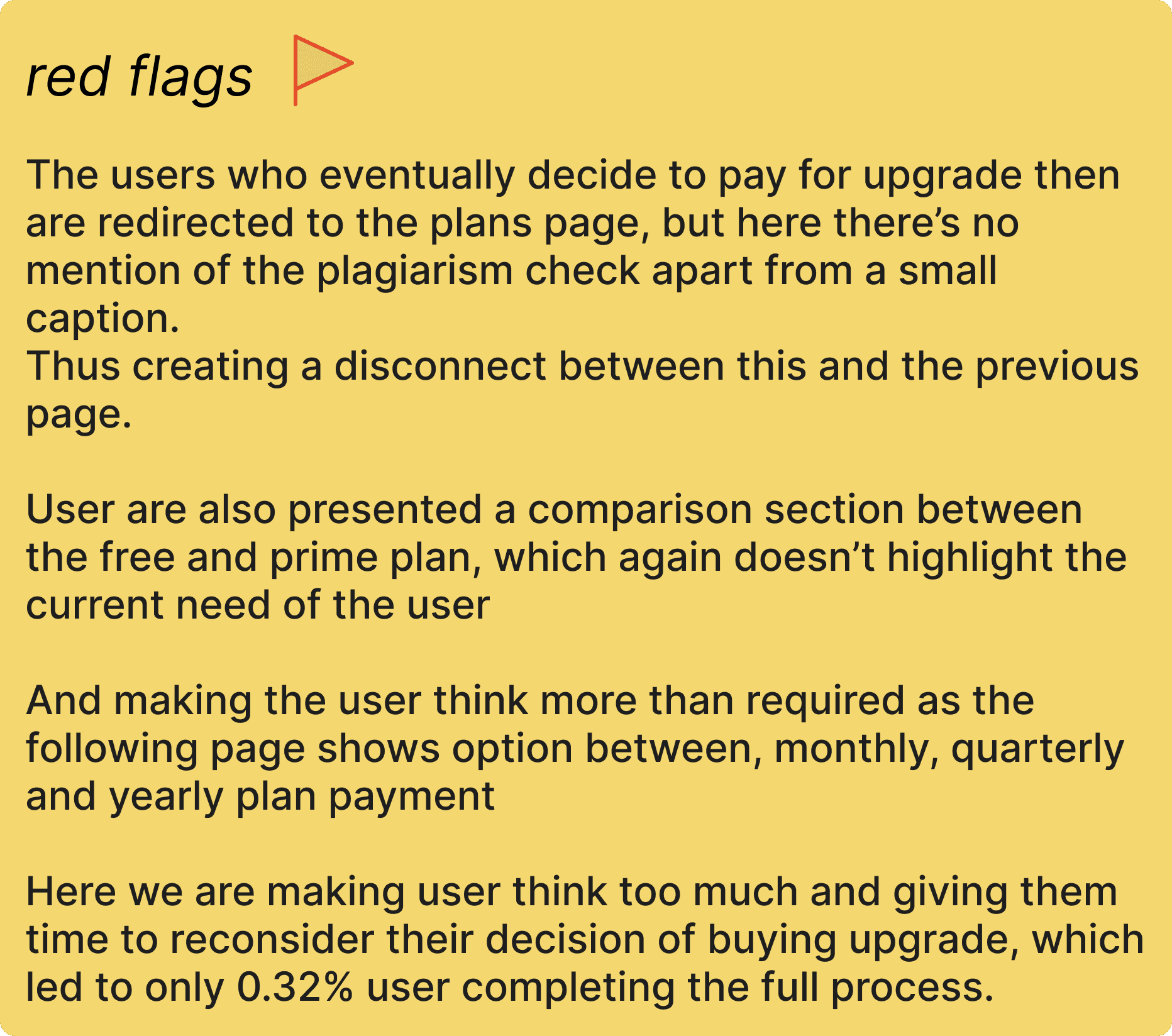
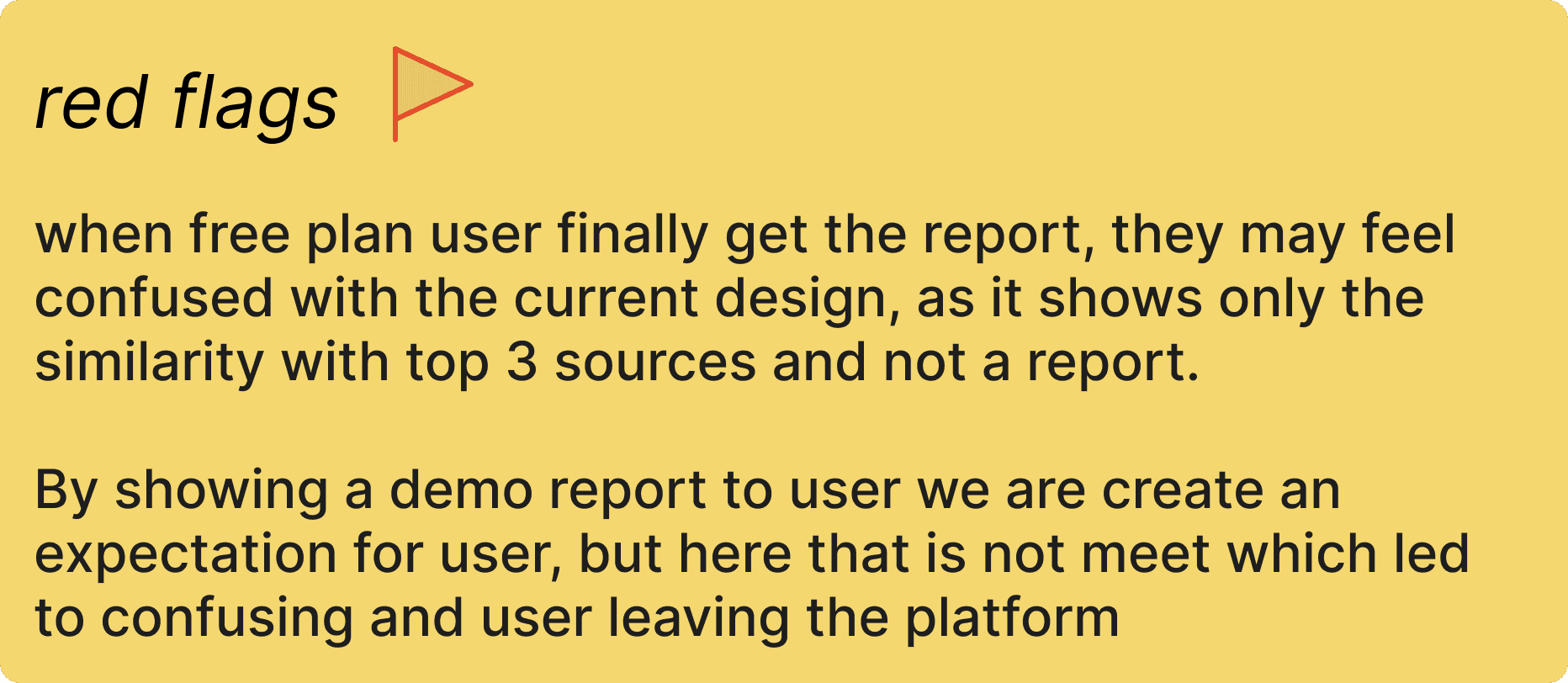
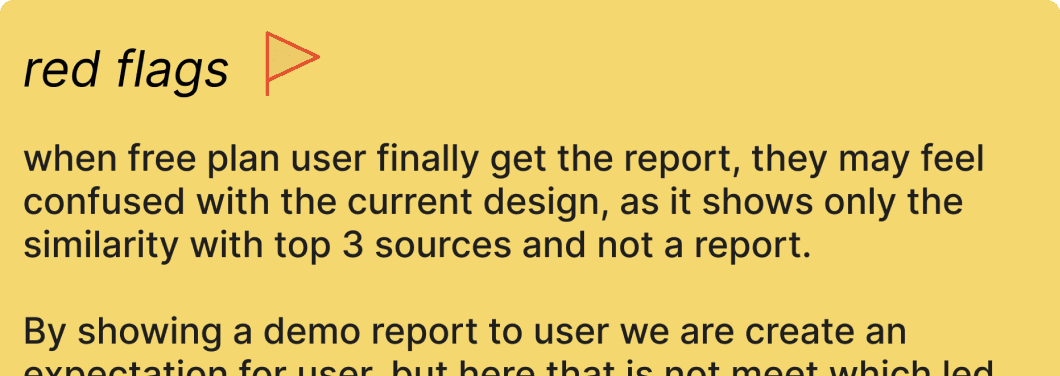
The CTA is unclear, making it hard for users to know what to do next, users don’t see the value of upgrading. Key product benefits are missing.
Key user jobs
Understand the Report
Quickly comprehend plagiarism insights, such as matching sources and similarity percentages.

Evaluating the Service
Understand the benefits of upgrading (e.g., more detailed insights or additional features).

Making a purchase decision
Make an informed choice about whether the premium service is worth its cost, depending on the information presented.

Problem breakdown
Scattered and lack of information
The information currently presented is often unclear and lacks precise definitions for specific actions.

Unclear CTAs
The call to action sections lack detailed information, which can confuse users about the next steps.

Lack of value
The existing content fails to effectively communicate the value of our product. The benefits are not prominently highlighted

Disconnected information
Users often encounter a plan comparison page after upgrade CTA unrelated to their previous interactions, leading to frustration and a disrupted flow.

Clarify Information and Enhance value
Define Actions Clearly, Use visual elements and highlight value.
Maintain Context
Make CTAs descriptive , streamline navigation and have consistency
Solution
Iteration
iteration ii
initial iteration
What Worked:
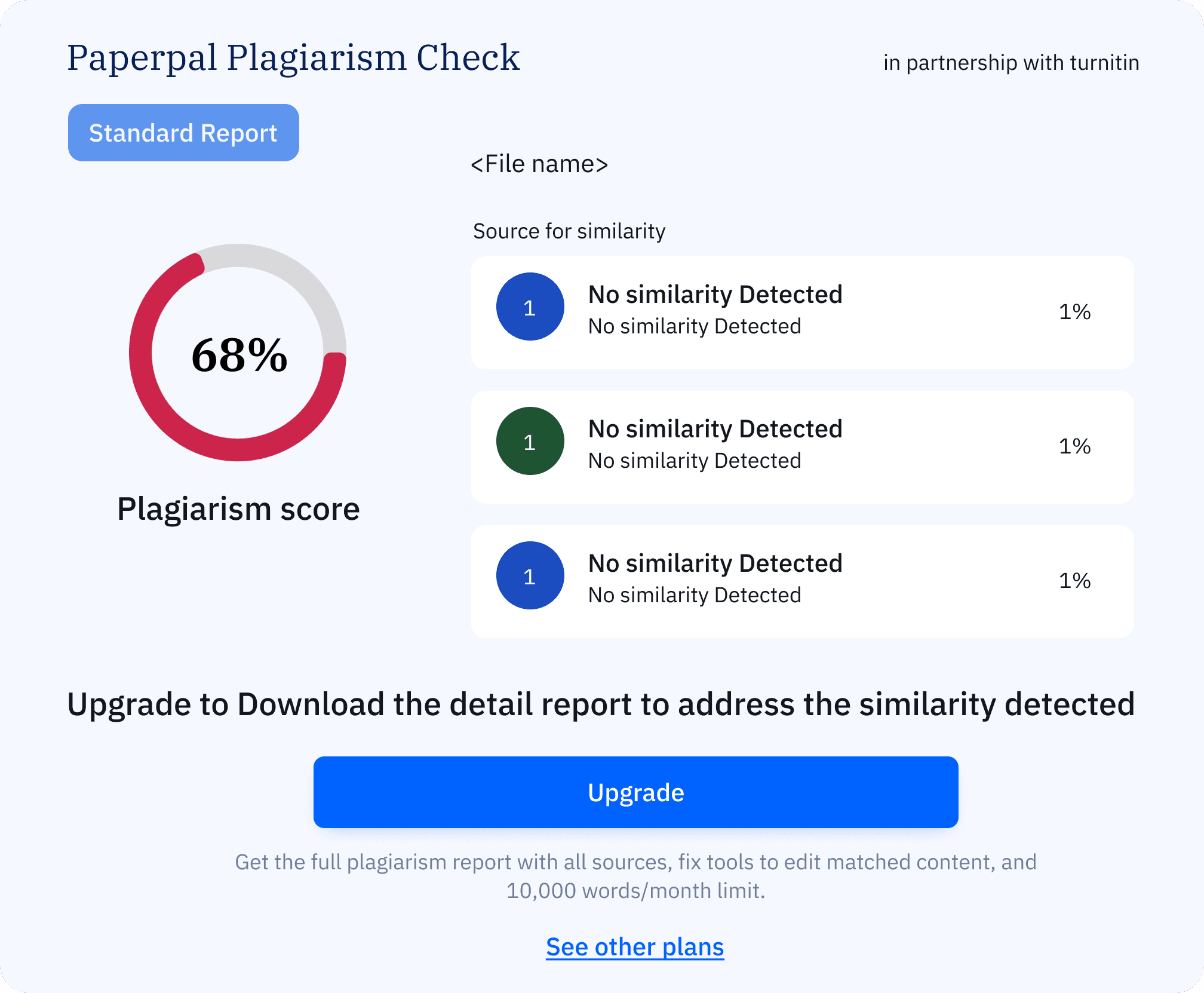
Displaying similarity as a percentage made it easier for users to understand and encouraged them to download the full report.
Clearly indicated that the full report was locked, highlighting the need to upgrade.
What Worked:
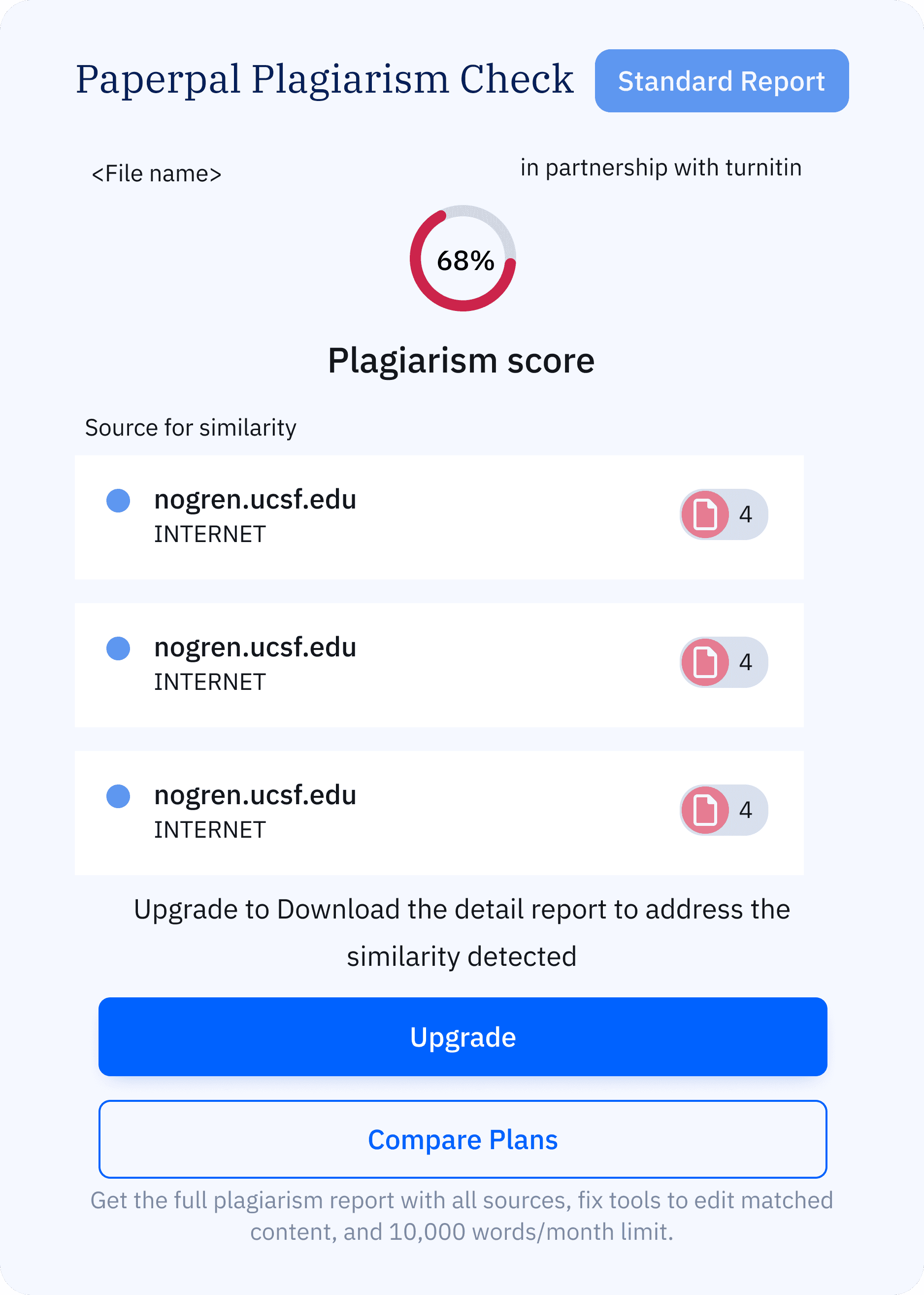
Expanded layout gave more emphasis to the similarity score and upgrade options.
Personalized the report by adding the file name.
What Didn’t Work:
The benefits of upgrading were not communicated effectively.
The area of action is small and limiting
What Didn’t Work:
Lacked visual hierarchy, making the information hard to scan at a glance.
Still didn’t provide sufficient clarity or what to expect next.
Final Experience
user job
user job
Understanding the report and evaluating the service
Making purchase decision
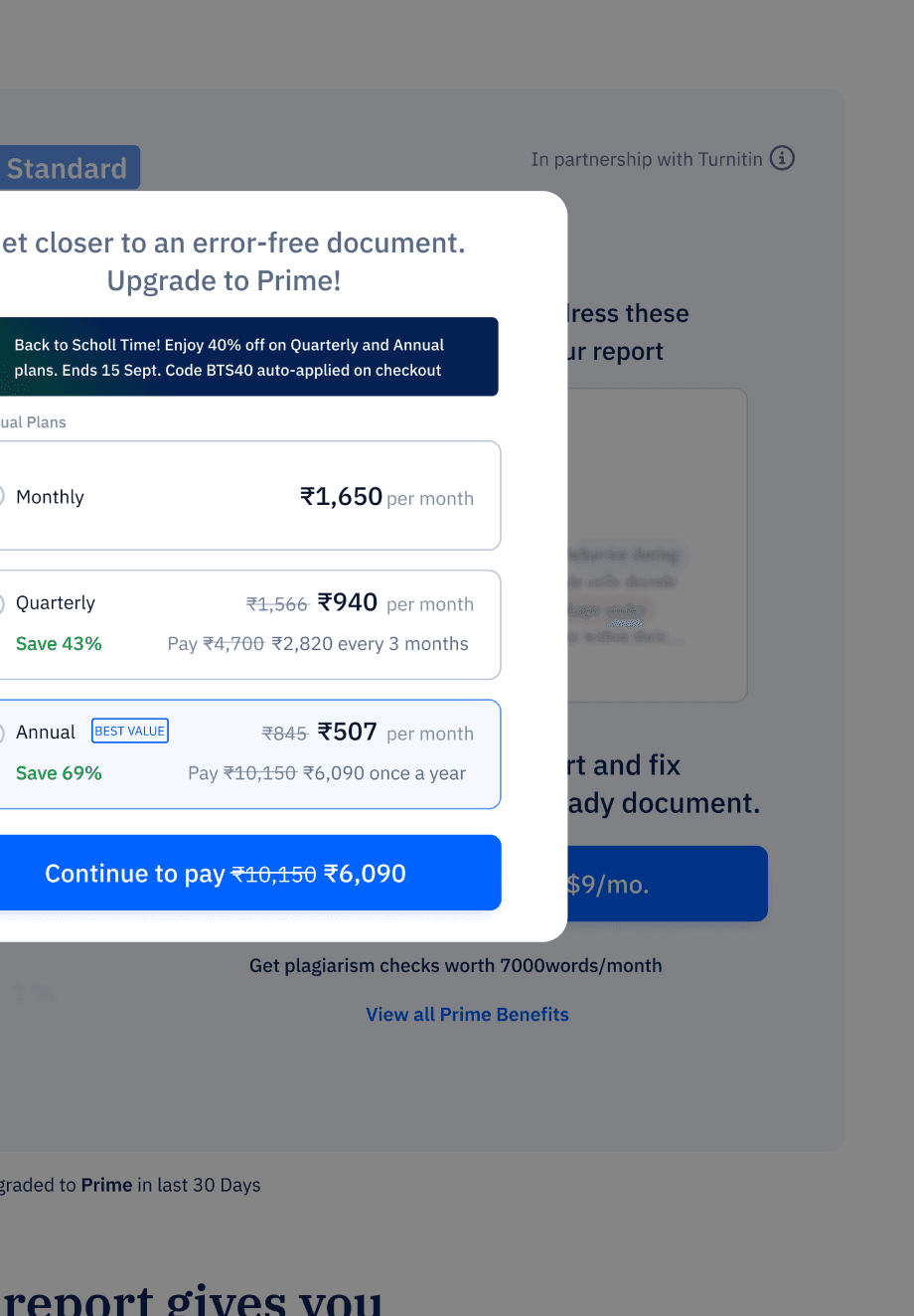
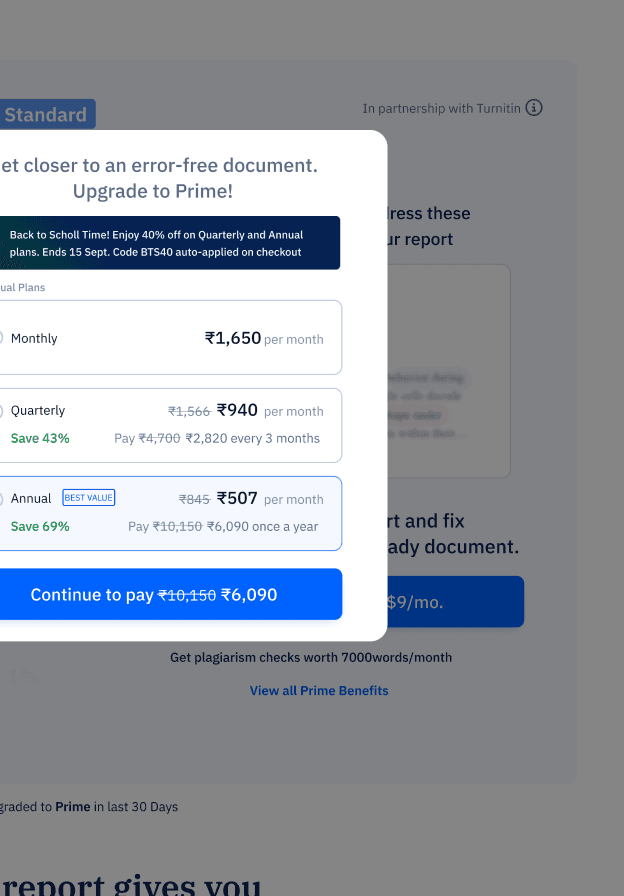
Contextual Relevance: Plan selection is integrated into a pop-up linked to the plagiarism check, maintaining user attention on the task at hand.
Simplified Options: The redesign emphasizes the "Best Value" annual plan while organizing quarterly and monthly options to reduce user overwhelm.
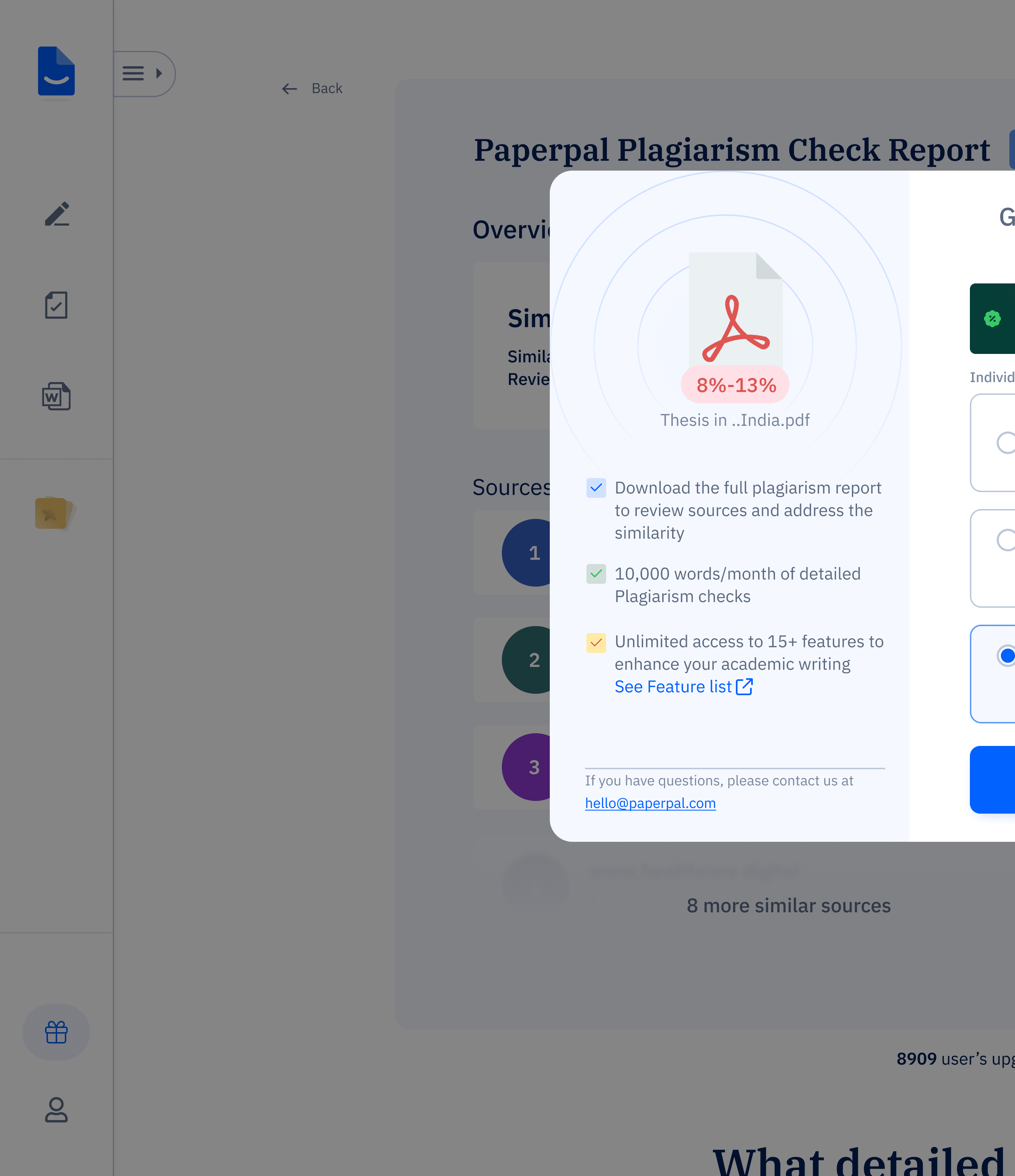
Enhanced Usability: Upgrade benefits, such as full report downloads and premium features, are displayed with the plans to strengthen the value proposition.
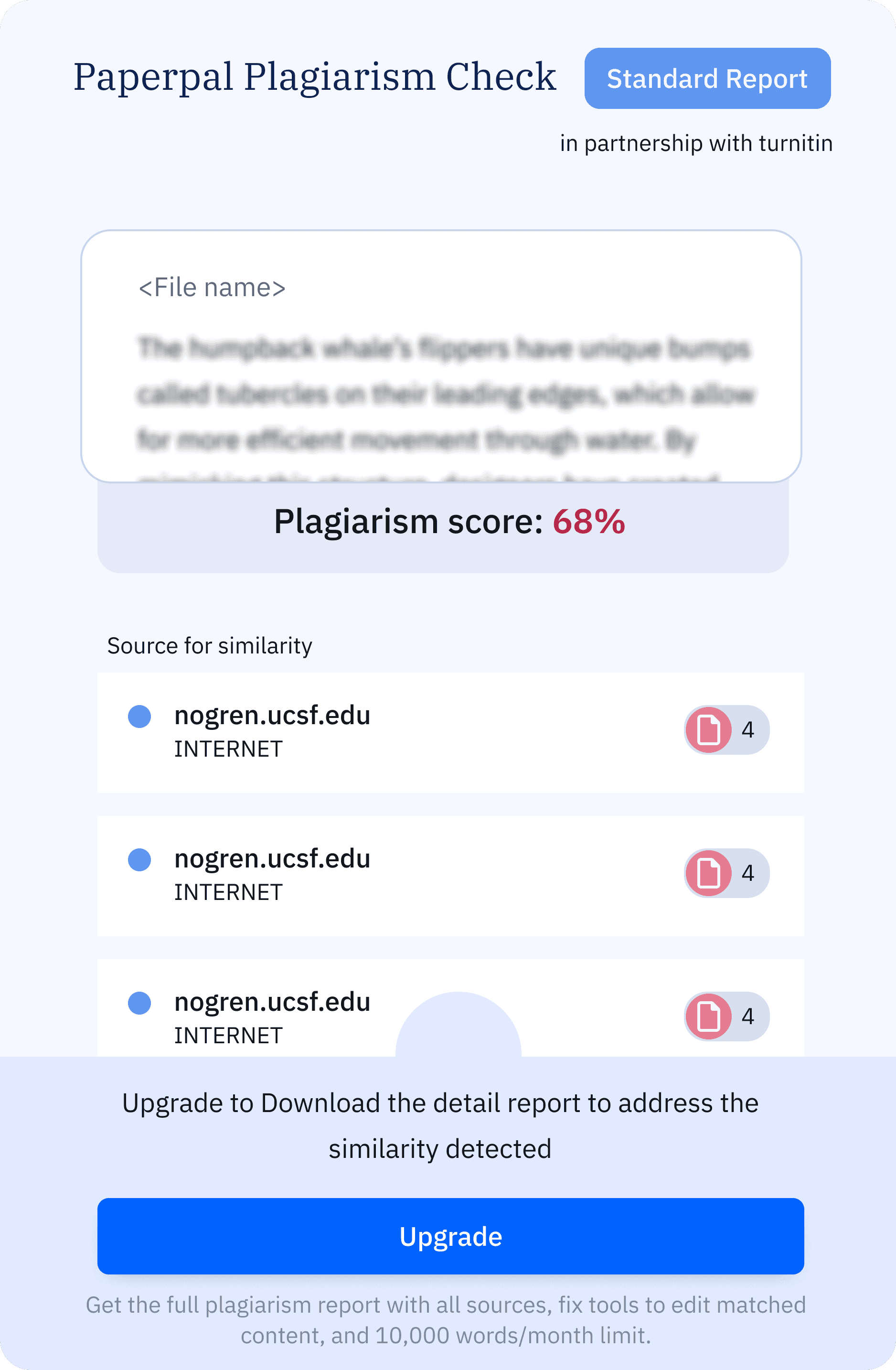
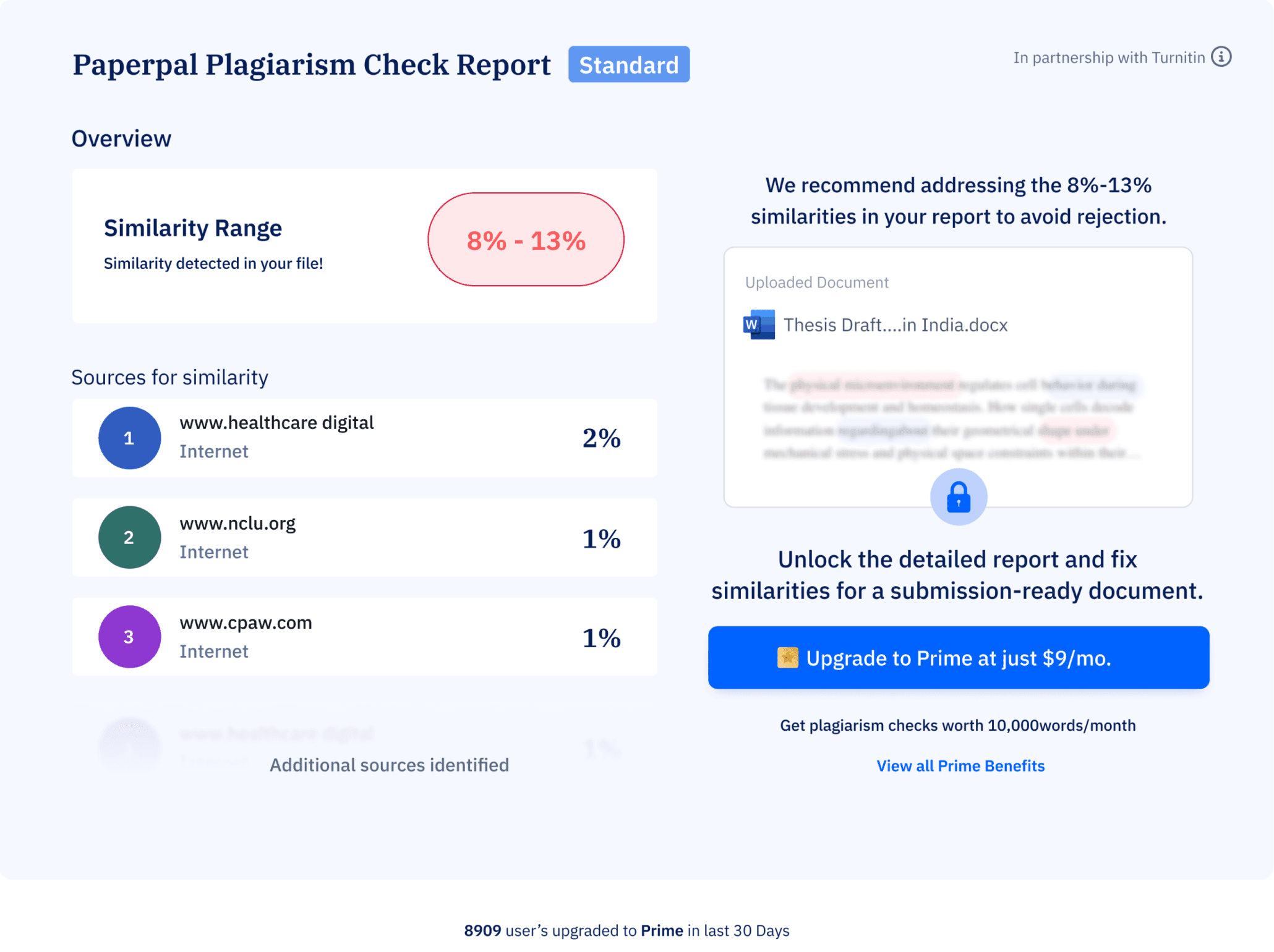
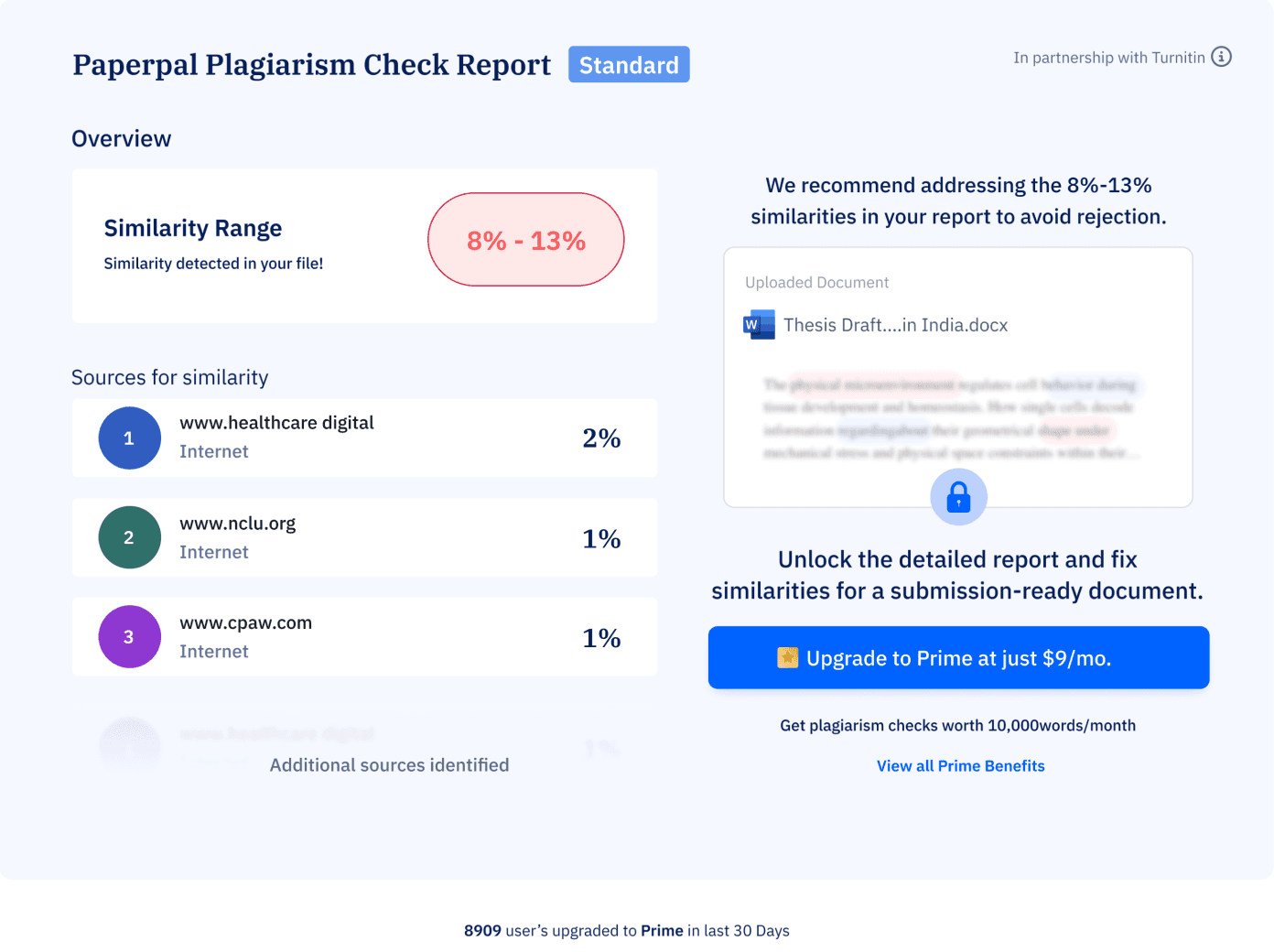
Clear Visual Hierarchy: Allocated dedicated space for the similarity score, sources of similarity, making the information easier to scan and comprehend.
Personalization: Displayed the file name prominently to add context and relevance, creating a more tailored experience.
Affordance: Used a lock icon to clearly indicate restricted access and guide users on how to unlock the full report.
Persuasive Design: Redesigned the CTA with clear messaging about benefits, pricing, and social proof to build trust and drive conversions.
Takeaway
This project emphasized the value of data-driven decision-making to align design priorities with user behavior. I learned to categorize design tasks by investment levels, ensuring resources were used wisely.. Most importantly, prioritizing the user’s intent was crucial for delivering meaningful, user-centered solutions.
Impact
The flow optimization resulted in a 45% increase in return users (from 11k to 16k+), proving the success of the improved UX clarity and contextual nudging.
Takeaway and Impact

Redesigning Plagiarism Report for Free users
PRODUCT DESIGN
USER INTERFACE
TEAM
Product Design Intern(me:)
Design Lead
Project Manager
Tech Lead
contribution
Concept ideation
Interface design
Responsive Design
User flow creation
UAT
Platform
Desktop & mobile web
Duration
2 weeks
About
Paperpal is an AI-powered writing assistant that simplifies the research process for academicians and lecturers. It helps users brainstorm ideas, craft outlines, find research papers, manage citations and more.
Impact
The flow optimization resulted in a 45% increase in return users (from 11k to 16k+), proving the success of the improved UX clarity and contextual nudging.
Takeaway
This project emphasized the value of data-driven decision-making to align design priorities with user behavior. I learned to categorize design tasks by investment levels, ensuring resources were used wisely.. Most importantly, prioritizing the user’s intent was crucial for delivering meaningful, user-centered solutions.
Impact
The flow optimization resulted in a 45% increase in return users (from 11k to 16k+), proving the success of the improved UX clarity and contextual nudging.
Takeaway and Impact
Key user jobs
Understand the Report
Quickly comprehend plagiarism insights, such as matching sources and similarity percentages.
Evaluating the Service
Understand the benefits of upgrading (e.g., more detailed insights or additional features).
Making a purchase decision
Make an informed choice about whether the premium service is worth its cost, depending on the information presented.
Problem breakdown
Scattered and lack of information
The information currently presented is often unclear and lacks precise definitions for specific actions.

Unclear CTAs
The call to action sections lack detailed information, which can confuse users about the next steps.

Lack of value
The existing content fails to effectively communicate the value of our product. The benefits are not prominently highlighted

Disconnected information
Users often encounter a plan comparison page after upgrade CTA unrelated to their previous interactions, leading to frustration and a disrupted flow.

Clarify Information and Enhance value
Define Actions Clearly, Use visual elements and highlight value.
Maintain Context
Make CTAs descriptive , streamline navigation and have consistency
Solution
Iteration
iteration ii
initial iteration
What Worked:
Displaying similarity as a percentage made it easier for users to understand and encouraged them to download the full report.
Clearly indicated that the full report was locked, highlighting the need to upgrade.
What Worked:
Expanded layout gave more emphasis to the similarity score and upgrade options.
Personalized the report by adding the file name.
What Didn’t Work:
The benefits of upgrading were not communicated effectively.
The area of action is small and limiting
What Didn’t Work:
Lacked visual hierarchy, making the information hard to scan at a glance.
Still didn’t provide sufficient clarity or what to expect next.
Final Experience
user job
user job
Understanding the report and evaluating the service
Making purchase decision
Contextual Relevance: Plan selection is integrated into a pop-up linked to the plagiarism check, maintaining user attention on the task at hand.
Simplified Options: The redesign emphasizes the "Best Value" annual plan while organizing quarterly and monthly options to reduce user overwhelm.
Enhanced Usability: Upgrade benefits, such as full report downloads and premium features, are displayed with the plans to strengthen the value proposition.
Clear Visual Hierarchy: Allocated dedicated space for the similarity score, sources of similarity, making the information easier to scan and comprehend.
Personalization: Displayed the file name prominently to add context and relevance, creating a more tailored experience.
Affordance: Used a lock icon to clearly indicate restricted access and guide users on how to unlock the full report.
Persuasive Design: Redesigned the CTA with clear messaging about benefits, pricing, and social proof to build trust and drive conversions.
Identifying gaps
A deep dive into our design to uncover usability gaps and areas for improvement.
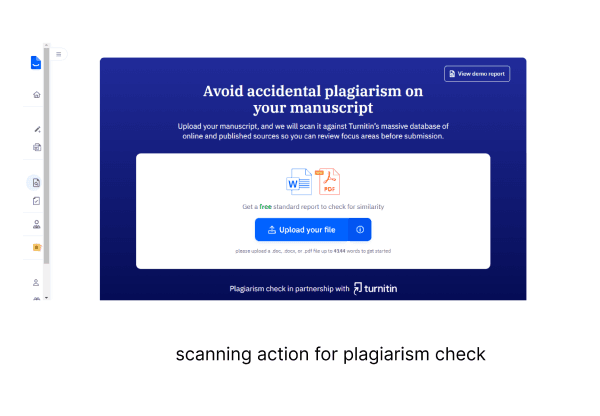
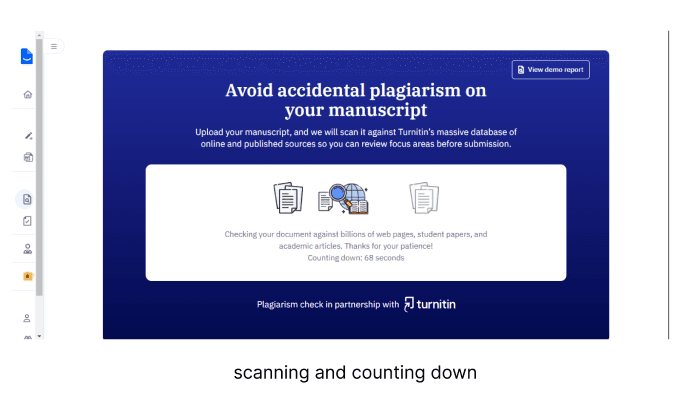
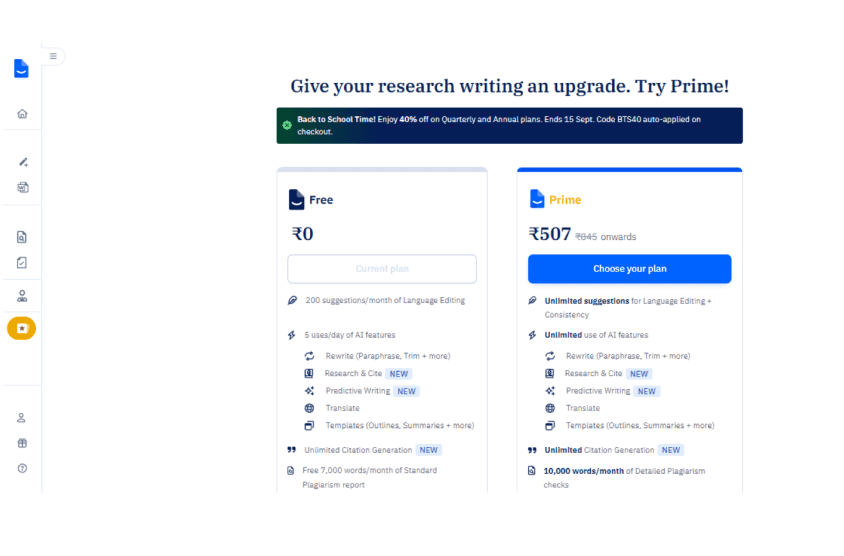
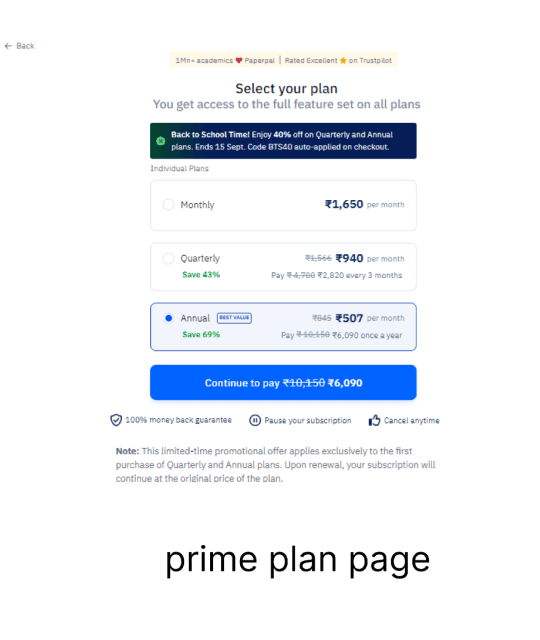
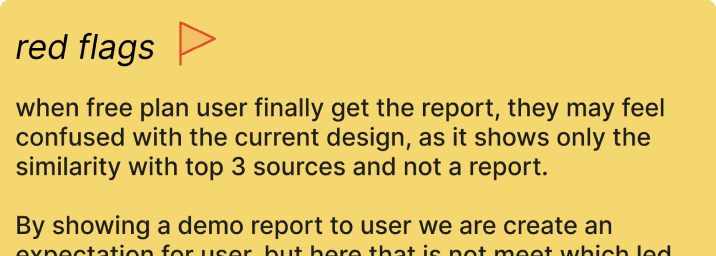
The CTA is unclear, making it hard for users to know what to do next, users don’t see the value of upgrading. Key product benefits are missing.
Research & Analysis
why redesign
learning from others
The current plagiarism check experience is losing users at critical points due to long wait times, unclear report insights, vague CTAs, and a lack of communicated benefits for the user. The redesign was necessary to improve communication and provide clear next steps.
We began the project by analyzing other academic assistant platforms, focusing on their patterns, user experiences, and strategies for nudging users toward conversion. We studied products like Grammarly, Quilllbot, Copyleak, Plagiarism checker.
Breakdown of the number
we are missing out on more than 90% of users and immediate focus is on converting the 2k users who stay till report generation
Total visitors
11k
leave without uploading
22%
Stay till report generation
2k
Users upgrade
450
Complete transaction
76
Project brief
The plagiarism check feature struggles with user drop-offs at key stages: during scanning, upon receiving the report, and at payment, resulting in only 0.32% upgrading to Prime. The goal was to redesign the experience to simplify the process, engage users, and boost conversions.
Highlights
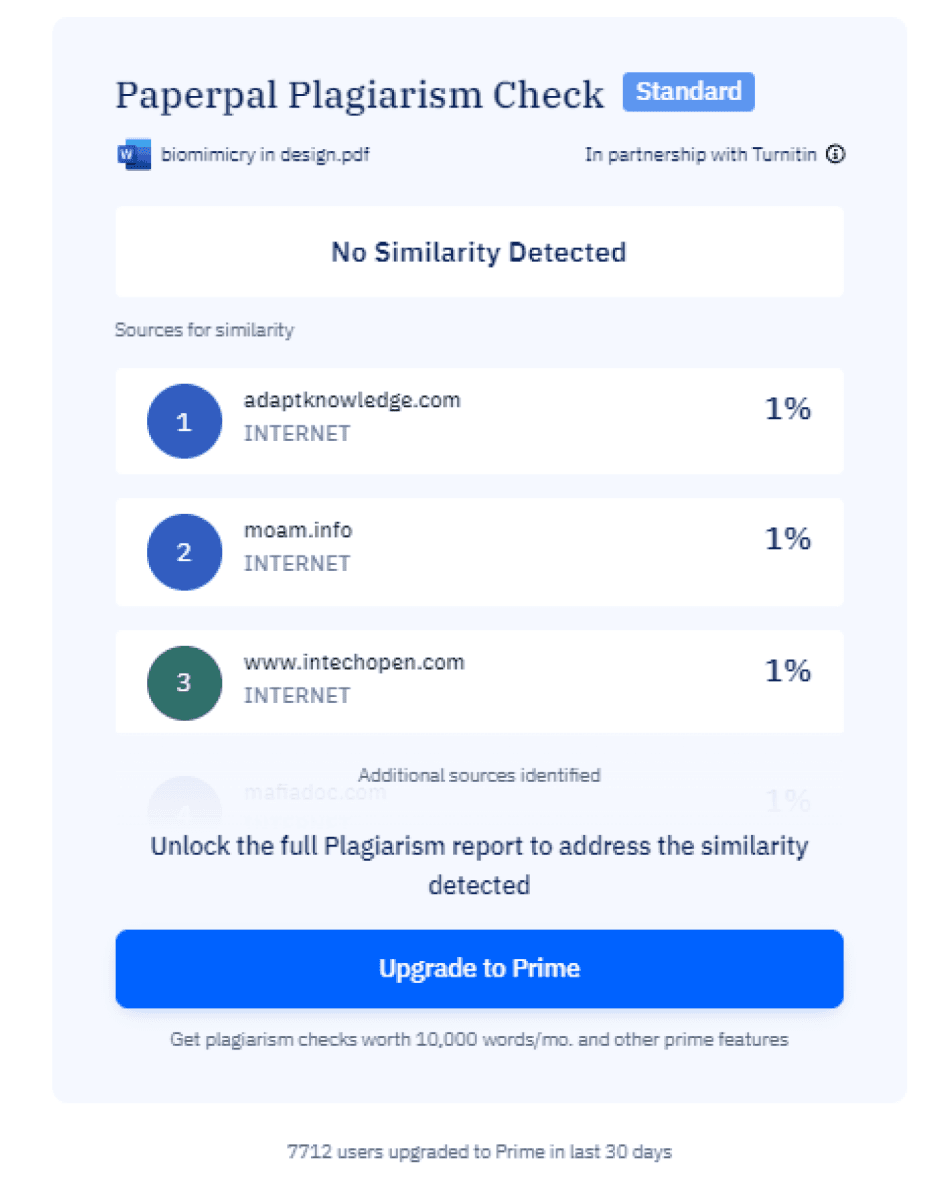
BEFORE
NOW
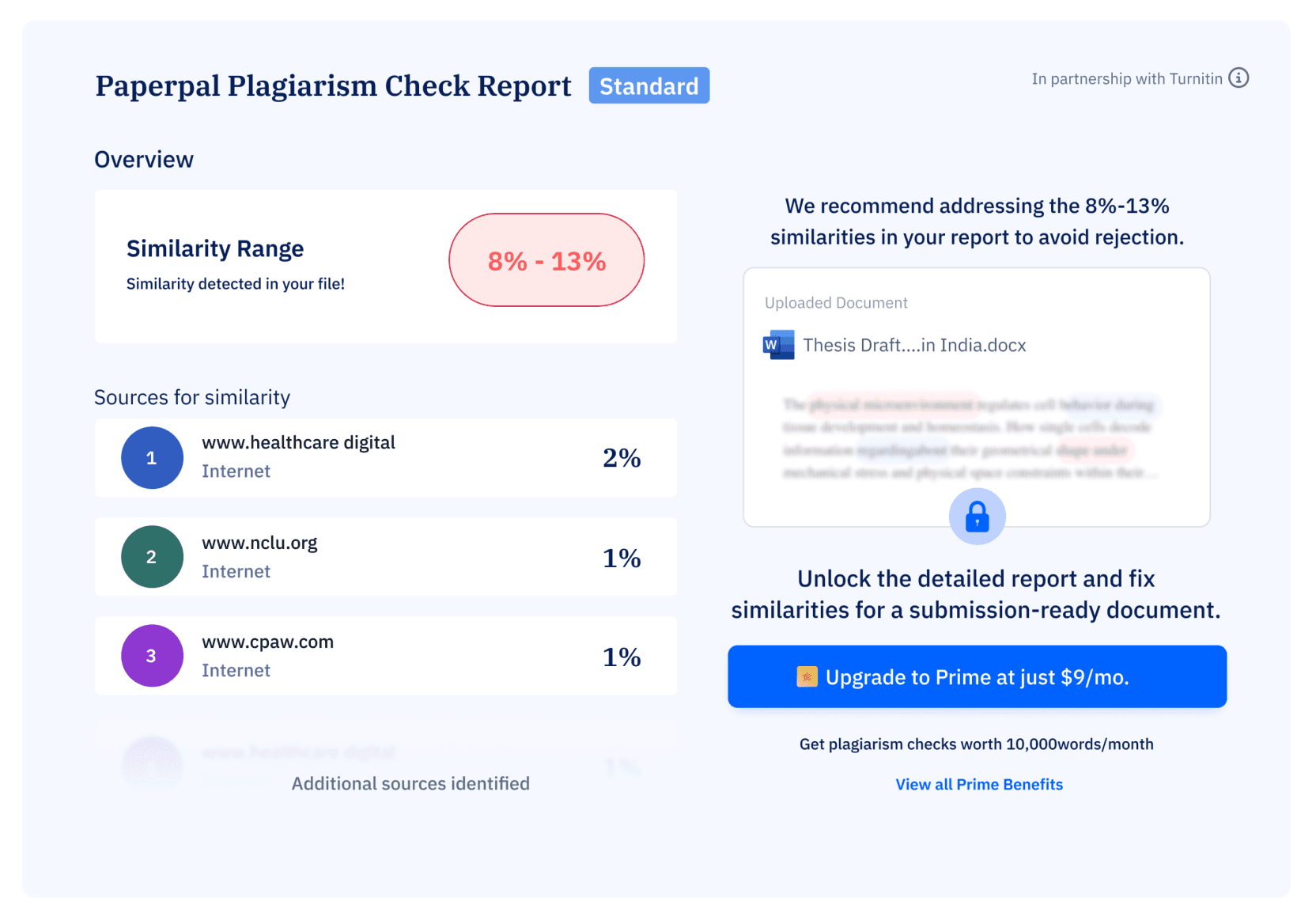
Generated Plagiarism report for free user
Similarity detected: 9-15%
Redesigning Plagiarism Report for Free users
PRODUCT DESIGN
USER INTERFACE
TEAM
Product Design Intern(me:)
Design Lead
Project Manager
Tech Lead
contribution
Concept ideation
Interface design
Responsive Design
User flow creation
UAT
Platform
Desktop & mobile web
Duration
2 weeks
About
Paperpal is an AI-powered writing assistant that simplifies the research process for academicians and lecturers. It helps users brainstorm ideas, craft outlines, find research papers, manage citations and more.
Impact
The flow optimization resulted in a 45% increase in return users (from 11k to 16k+), proving the success of the improved UX clarity and contextual nudging.
Takeaway
This project emphasized the value of data-driven decision-making to align design priorities with user behavior. I learned to categorize design tasks by investment levels, ensuring resources were used wisely.. Most importantly, prioritizing the user’s intent was crucial for delivering meaningful, user-centered solutions.
Impact
Coming soon.......
Takeaway and Impact
Key user jobs
Understand the Report
Quickly comprehend plagiarism insights, such as matching sources and similarity percentages.
Evaluating the Service
Understand the benefits of upgrading (e.g., more detailed insights or additional features).
Making a purchase decision
Make an informed choice about whether the premium service is worth its cost, depending on the information presented.
Problem breakdown
Scattered and lack of information
The information currently presented is often unclear and lacks precise definitions for specific actions.

Unclear CTAs
The call to action sections lack detailed information, which can confuse users about the next steps.

Lack of value
The existing content fails to effectively communicate the value of our product. The benefits are not prominently highlighted

Disconnected information
Users often encounter a plan comparison page after upgrade CTA unrelated to their previous interactions, leading to frustration and a disrupted flow.

Clarify Information and Enhance value
Define Actions Clearly, Use visual elements and highlight value.
Maintain Context
Make CTAs descriptive , streamline navigation and have consistency
Solution
Iteration
iteration ii
initial iteration
What Worked:
Displaying similarity as a percentage made it easier for users to understand and encouraged them to download the full report.
Clearly indicated that the full report was locked, highlighting the need to upgrade.
What Worked:
Expanded layout gave more emphasis to the similarity score and upgrade options.
Personalized the report by adding the file name.
What Didn’t Work:
The benefits of upgrading were not communicated effectively.
The area of action is small and limiting
What Didn’t Work:
Lacked visual hierarchy, making the information hard to scan at a glance.
Still didn’t provide sufficient clarity or what to expect next.
Final Experience
user job
user job
Understanding the report and evaluating the service
Making purchase decision
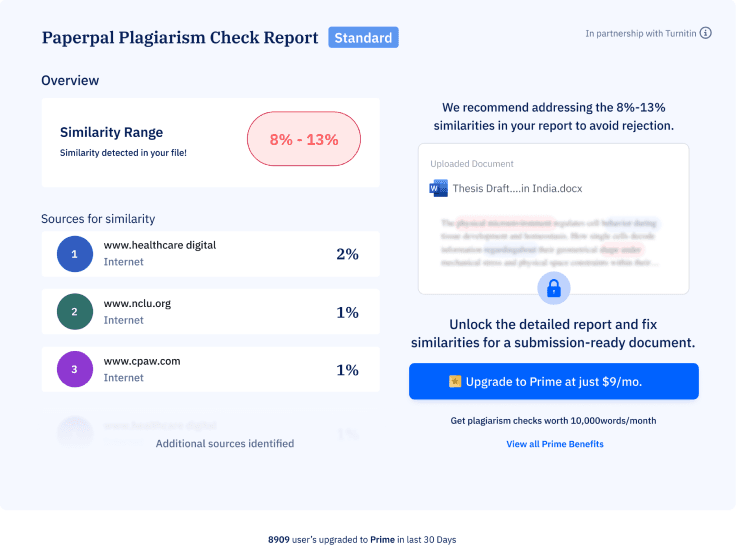
Contextual Relevance: Plan selection is integrated into a pop-up linked to the plagiarism check, maintaining user attention on the task at hand.
Simplified Options: The redesign emphasizes the "Best Value" annual plan while organizing quarterly and monthly options to reduce user overwhelm.
Enhanced Usability: Upgrade benefits, such as full report downloads and premium features, are displayed with the plans to strengthen the value proposition.
Clear Visual Hierarchy: Allocated dedicated space for the similarity score, sources of similarity, making the information easier to scan and comprehend.
Personalization: Displayed the file name prominently to add context and relevance, creating a more tailored experience.
Affordance: Used a lock icon to clearly indicate restricted access and guide users on how to unlock the full report.
Persuasive Design: Redesigned the CTA with clear messaging about benefits, pricing, and social proof to build trust and drive conversions.
Identifying gaps
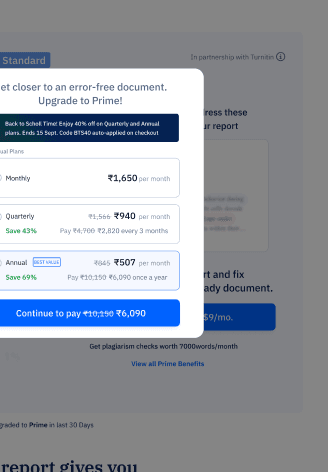
A deep dive into our design to uncover usability gaps and areas for improvement.
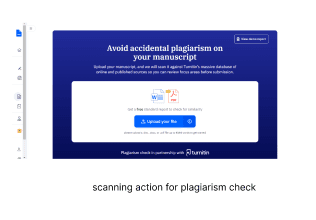
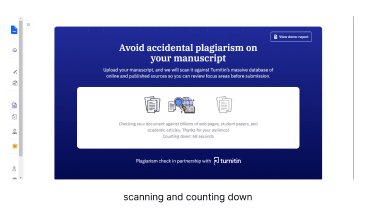
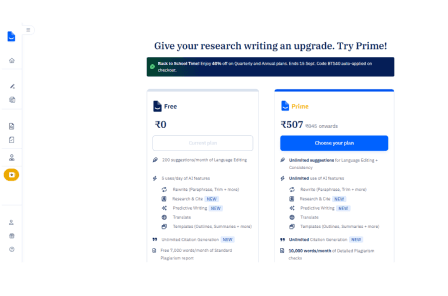
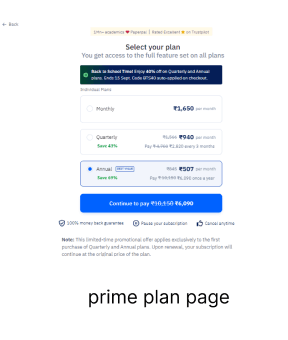
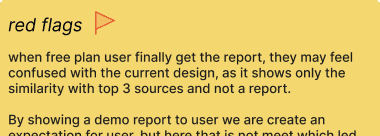
The CTA is unclear, making it hard for users to know what to do next, users don’t see the value of upgrading. Key product benefits are missing.
Research & Analysis
why redesign
learning from others
The current plagiarism check experience is losing users at critical points due to long wait times, unclear report insights, vague CTAs, and a lack of communicated benefits for the user. The redesign was necessary to improve communication and provide clear next steps.
We began the project by analyzing other academic assistant platforms, focusing on their patterns, user experiences, and strategies for nudging users toward conversion. We studied products like Grammarly, Quilllbot, Copyleak, Plagiarism checker.
Breakdown of the number
we are missing out on more than 90% of users and immediate focus is on converting the 2k users who stay till report generation
Total visitors
11k
leave without uploading
22%
Stay till report generation
2k
Users upgrade
450
Complete transaction
76
Project brief
The plagiarism check feature struggles with user drop-offs at key stages: during scanning, upon receiving the report, and at payment, resulting in only 0.32% upgrading to Prime. The goal was to redesign the experience to simplify the process, engage users, and boost conversions.
Highlights
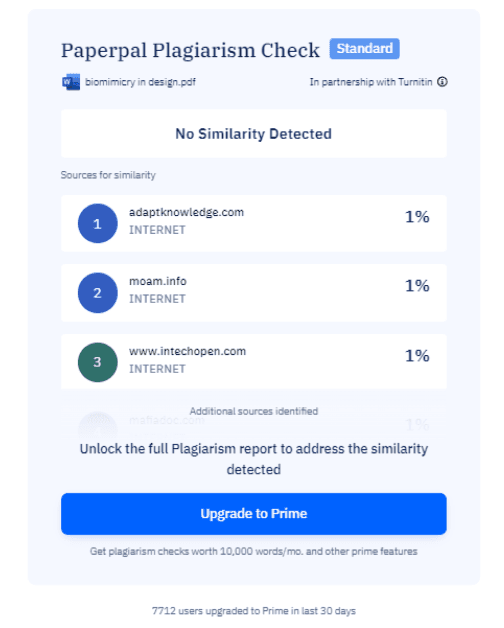
BEFORE
NOW
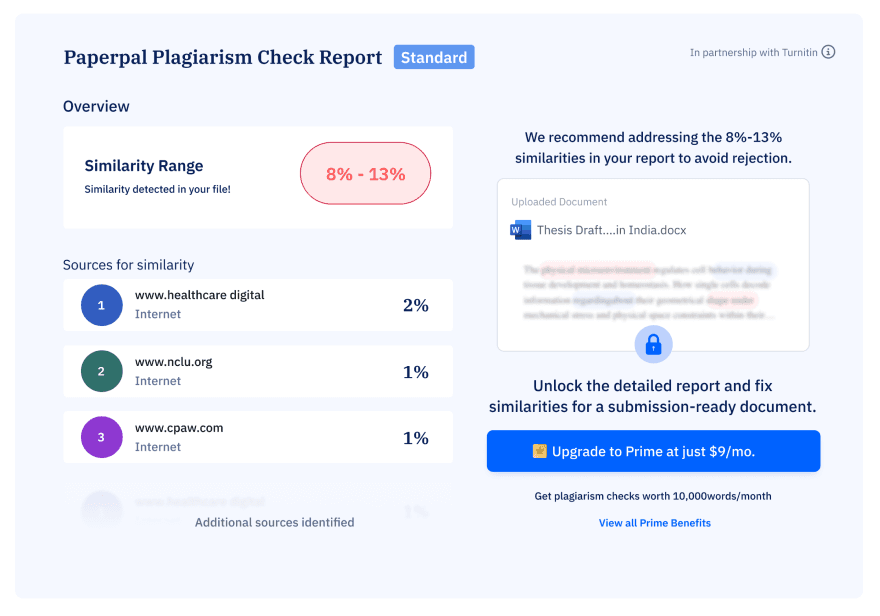
Generated Plagiarism report for free user
Similarity detected: 9-15%